- Version
- Varies with device
- Android
- Varies with device
- Updated
- Mar 29, 2023
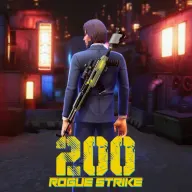
"this is a brand new competitive third-person shoot game with heavy roguelike elements.
Screenshots


What’s new
Bug Fixes
About Rogue Strike: 200
"this is a brand new competitive third-person shoot game with heavy roguelike elements.
You will get 250 kinds of skills matching in the style of living alone. imagine build a unique ability tree for yourself in the adventure career mode.
Immerse yourself in an intensity shooting and unpredictable battle experience with competitive mode, every match is a fresh and exhilarating new adventure. Will you emerge as the last one standing? Only the toughest and most strategic players will survive in this heart-pumping gamemode of competition.
Take command of the battlefield like never before in our thrilling Commander mode, where your skills will turnning to Arm troops selection as your ultimate weapon. With a range of customizable commanders, each with unique abilities and strengths, you can create the perfect strategy to outwit and outfight your opponents. Whether you prefer to focus on defense, offense, or a balance of both, the choice is yours. With intense battles and strategic gameplay, only the best commanders will lead their armies to victory. Will you rise to the challenge?"
App information
- Version
- Varies with device
- Requires
- Android Varies with device
- Updated
- Mar 29, 2023
- Developer
- SingleStar. LLC
- Category
- Action
- Price
- Free
- Installs (Google Play)
- 5,000+
- Package
- com.SingleStar.RougeStrike
Download Rogue Strike: 200
- GET IT ONGoogle Play Official Google Play listing · opens play.google.com
Links open the file host in a new tab. ApkZub does not host these files. Scan every APK before installing, and prefer the official store whenever it is available.
How to install an APK file
- Download the APK file using a link in the section above.
- On your Android phone, open Settings → Apps → Special app access → Install unknown apps and allow your browser or file manager.
- Open the downloaded file from your notifications or the Downloads folder and tap Install.
- If the file is an XAPK/APKS bundle or comes with an OBB folder, follow the extra steps in the description above.
- After installing, you can switch the “Install unknown apps” permission off again.