- Version
- 4.2.0
- Android
- 5.0+
- Updated
- Jul 6, 2022
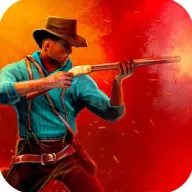
Dirty Revolver is a third person western cowboy shooter game. You will have full experience in realistic western world with customizable cowboy character.
Screenshots


What’s new in v4.2.0
Update 17.6;
-Asset optimizations
-Updated engine
About Dirty Revolver Cowboy Shooter
Dirty Revolver is a third person western cowboy shooter game. You will have full experience in realistic western world with customizable cowboy character.
Live an uninterrupted story of revenge in the Wild West!
During your childhood, Wesley's men had shot the whole village and killed your mother and your siblings. Your wounded father was only able to save you and left the city and trained you on the mountain for many years. With the death of your father, it's time for revenge.
Game Features
* 4 different cities
* Different weather conditions. (rain, snow, sunny, storm, etc.)
* Wide variety of atmospheres (desert life, snowy hills, green plateaus, etc.)
* Possibility to customize your character with dozens of different outfits
* Hundreds of different missions
* Wild West weapons with various perks
* A variety of enemies with different strengths
* Possibility to fight on horseback or on foot
* Story-driven gameplay that doesn't require internet.
Enjoy uninterrupted action with bandits in city, field, and difficult weather conditions with realistic map designs in third person (tps).
App information
- Version
- 4.2.0
- Requires
- Android 5.0+
- Updated
- Jul 6, 2022
- Developer
- Dreambox Visual Communications
- Category
- Action
- Price
- Free
- Installs (Google Play)
- 100,000+
- Package
- com.Dreambox.RustyRevolver
Download Dirty Revolver Cowboy Shooter
- GET IT ONGoogle Play Official Google Play listing · opens play.google.com
Links open the file host in a new tab. ApkZub does not host these files. Scan every APK before installing, and prefer the official store whenever it is available.
How to install an APK file
- Download the APK file using a link in the section above.
- On your Android phone, open Settings → Apps → Special app access → Install unknown apps and allow your browser or file manager.
- Open the downloaded file from your notifications or the Downloads folder and tap Install.
- If the file is an XAPK/APKS bundle or comes with an OBB folder, follow the extra steps in the description above.
- After installing, you can switch the “Install unknown apps” permission off again.