- Version
- 2.0
- Android
- 4.4+
- Updated
- Apr 15, 2017
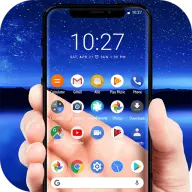
🦎 Chameleon wallpaper is a live wallpaper that changes color to your surroundings.
Screenshots


What’s new in v2.0
Chameleon Live Wallpaper 2.0.
Chameleon is now capable of functioning independently. There are two built-in themes provided. You can also create your own themes using Kustom Live Wallpaper.
About Chameleon Live Wallpaper KLWP
🦎 Chameleon wallpaper is a live wallpaper that changes color to your surroundings.
Set it as the live wallpaper, launch the app, and point and shoot object with your phone camera. Chameleon will analyze the subject and change colors automatically.
🎨Two themes are provided: Lollipop & Marshmallow.
What is so special about this wallpaper?
It is possible to create your own setups using the KLWP app. You can download Kustom here : https://play.google.com/store/apps/details?id=org.kustom.wallpaper
This skin comes with easy to use plugin that extracts colors from your phone's surroundings using the camera and send them to Kustom. Hence your Kustom wallpaper will dynamically change based on surroundings! This means you can port all your Kustom themes to use Chameleon plugin. Two sample KWLP skins are provided.
How do I share my setups?
In addition to the KLWP zip file, direct your users to this Play store link. Once they have it installed, everything should be fine!
Video
App information
- Version
- 2.0
- Requires
- Android 4.4+
- Updated
- Apr 15, 2017
- Developer
- Arunkumar
- Category
- Personalization
- Price
- Free
- Installs (Google Play)
- 10,000+
- Package
- arun.com.chameleonskinforkwlp
Download Chameleon Live Wallpaper KLWP
- Download APK Opens mediafire.com (external site)
- GET IT ONGoogle Play Official Google Play listing · opens play.google.com
Links open the file host in a new tab. ApkZub does not host these files. Scan every APK before installing, and prefer the official store whenever it is available.
How to install an APK file
- Download the APK file using a link in the section above.
- On your Android phone, open Settings → Apps → Special app access → Install unknown apps and allow your browser or file manager.
- Open the downloaded file from your notifications or the Downloads folder and tap Install.
- If the file is an XAPK/APKS bundle or comes with an OBB folder, follow the extra steps in the description above.
- After installing, you can switch the “Install unknown apps” permission off again.