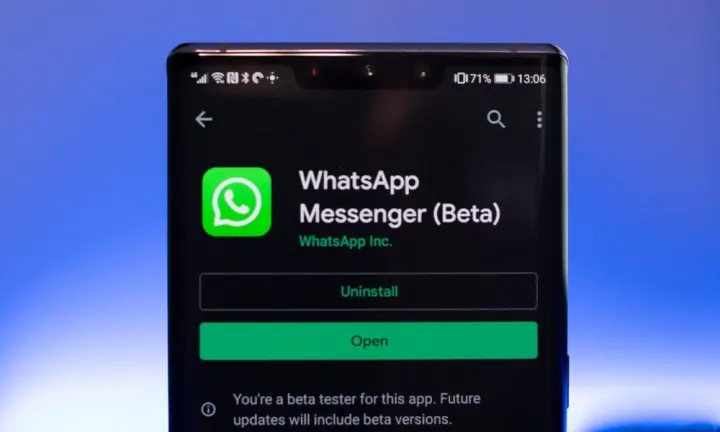

How To Join WhatsApp Messenger Beta
- Version
- 2.22.17.70
- Size
- 36MB
- Android
- Android 4.1+
- Updated
- Aug 1, 2022
Screenshots


What’s new in v2.22.17.70
* Updates to message reactions including the ability to react with any emoji plus additional improvements and fixes. * Increased the group participant limit to 512. * Increased max file size limit to 2GB. * On group calls, you can mute others or message them by long pressing on their tile. These features will roll out over the coming weeks. Thanks for using WhatsApp!
About How To Join WhatsApp Messenger Beta
WhatsApp Beta is a testing version of the popular messaging app that allows users to try out new features before they are officially released to the public. Being a beta tester gives you the opportunity to provide feedback to WhatsApp developers, helping them improve the app before updates are rolled out to all users. If you're eager to get early access to the latest features and don't mind the occasional bug or glitch, joining WhatsApp Beta might be perfect for you. Here's how you can join:
Step 1: Understand the Risks
Before diving into the process of joining WhatsApp Beta, it's important to understand the risks. Beta versions are not as stable as the public release versions. You may encounter bugs, crashes, or other issues that could affect your user experience. If you rely heavily on WhatsApp for important communications, you may want to think twice before joining the beta.
Step 2: Become a Beta Tester
To become a WhatsApp Beta tester, you'll need to join the WhatsApp Beta program on either Android or iOS. Here's how to do it for each platform:
For Android:
- Open the Google Play Store on your Android device.
- Search for "WhatsApp" in the search bar.
- Scroll down to find the WhatsApp app listing.
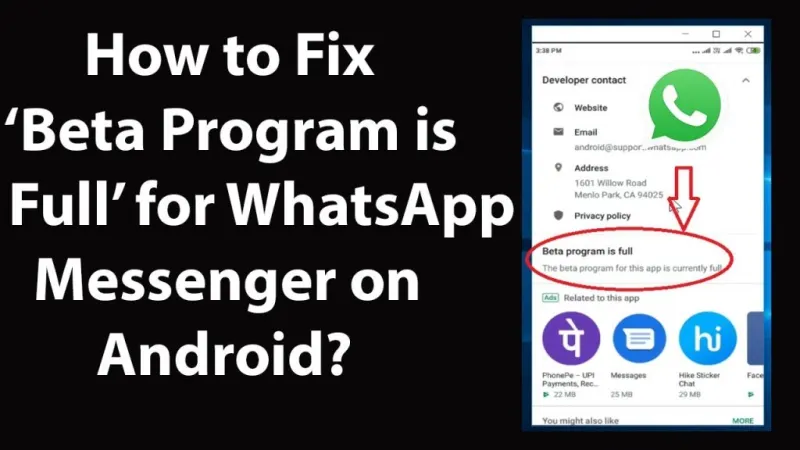
- Scroll further down the app listing page until you see the "Join the beta" section.
- Tap on "Join" and follow the on-screen instructions to become a beta tester.
- Once you've joined, you'll receive an update to the WhatsApp beta version through the Play Store.
For iOS:
- Joining the WhatsApp beta on iOS is a bit more involved, as it requires TestFlight, Apple's platform for beta testing apps.
- Visit the WhatsApp Beta TestFlight page: WhatsApp Beta TestFlight
- Tap on "Start Testing" to join the beta program.
- If you don't already have TestFlight installed, you'll be prompted to download it from the App Store.
- Once you have TestFlight, you'll receive updates to the WhatsApp beta version through the TestFlight app.
Step 3: Receive Beta Updates
After you've become a beta tester, you'll start receiving beta updates for WhatsApp. These updates will include new features and changes that are still in the testing phase. Keep in mind that beta updates may come more frequently than stable releases, and they may occasionally have bugs or issues.
Step 4: Provide Feedback
As a beta tester, your feedback is valuable to WhatsApp developers. If you encounter any issues or have suggestions for improvement, you can provide feedback directly through the app. Look for the "Contact Us" or "Help" option in the app's settings to send your feedback.
Step 5: Stay Updated
It's important to stay informed about the beta program and any updates or announcements from WhatsApp. Follow WhatsApp's official channels, such as their blog or social media accounts, to stay up to date with the latest news about the beta program and upcoming features.
Final Thoughts
Joining the WhatsApp Beta program is a great way to get early access to new features and contribute to the app's development. However, it's essential to remember that beta versions are not as stable as public releases, so you may encounter issues from time to time. If you're excited about trying out new features and don't mind the occasional bug, joining WhatsApp Beta can be a rewarding experience!
App information
- Version
- 2.22.17.70
- File size
- 36MB
- Requires
- Android Android 4.1+
- Updated
- Aug 1, 2022
- Category
- Latest Post
Download How To Join WhatsApp Messenger Beta
- Get it on Google Play Official Google Play listing · opens play.google.com
Other download options
- Join WhatsApp Beta Official developer website · play.google.com
Links open the file host in a new tab. ApkZub does not host these files. Scan every APK before installing, and prefer the official store whenever it is available.
How to install an APK file
- Download the APK file using a link in the section above.
- On your Android phone, open Settings → Apps → Special app access → Install unknown apps and allow your browser or file manager.
- Open the downloaded file from your notifications or the Downloads folder and tap Install.
- If the file is an XAPK/APKS bundle or comes with an OBB folder, follow the extra steps in the description above.
- After installing, you can switch the “Install unknown apps” permission off again.