- Version
- 1.12.3
- Android
- 8.1+
- Updated
- Sep 30, 2023
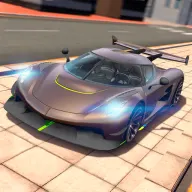
Apex Racing is both racing and drifting game with highly realistic vehicle simulation, supporting realtime multiplayer and single player modes. After completing challenge you can review global leaderboard statistics. Apex Racing allows you to fully customize your vehicle starting from body parts to engine upgrades to suspension tweaking.
Screenshots


What’s new in v1.12.3
-One new car
-Extended Highway map
-More realistic suspension and aerodynamic setup for all cars
-Improved physics and controls
-Less sticky walls in Highway map
-Brighter brake lights
-Fixed vehicle shaking in multiplayer
-Improved engine sound of "BWN M82"
-Less steering limitation proportional to velocity
-Added gearbox aggressiveness settings
-Automatic downshift rev-matching
-Traffic cars may slow down or come to a stop
-Possibility to increase steering angle to 70 degrees
About Apex Racing
Apex Racing is both racing and drifting game with highly realistic vehicle simulation, supporting realtime multiplayer and single player modes. After completing challenge you can review global leaderboard statistics. Apex Racing allows you to fully customize your vehicle starting from body parts to engine upgrades to suspension tweaking.
Notes:
- A network connection is required to play.
- Apex Racing is free to play. In game credits can be purchased using real money via in-app purchases
Stay tuned on our social media!
INSTAGRAM: https://www.instagram.com/apexgames.official/
App information
- Version
- 1.12.3
- Requires
- Android 8.1+
- Updated
- Sep 30, 2023
- Developer
- ApexGames
- Category
- Racing
- Price
- Free
- Installs (Google Play)
- 1,000,000+
- Package
- com.PURE.Puredrifting
Download Apex Racing
- Get it on Google Play Official Google Play listing · opens play.google.com
Links open the file host in a new tab. ApkZub does not host these files. Scan every APK before installing, and prefer the official store whenever it is available.
How to install an APK file
- Download the APK file using a link in the section above.
- On your Android phone, open Settings → Apps → Special app access → Install unknown apps and allow your browser or file manager.
- Open the downloaded file from your notifications or the Downloads folder and tap Install.
- If the file is an XAPK/APKS bundle or comes with an OBB folder, follow the extra steps in the description above.
- After installing, you can switch the “Install unknown apps” permission off again.